
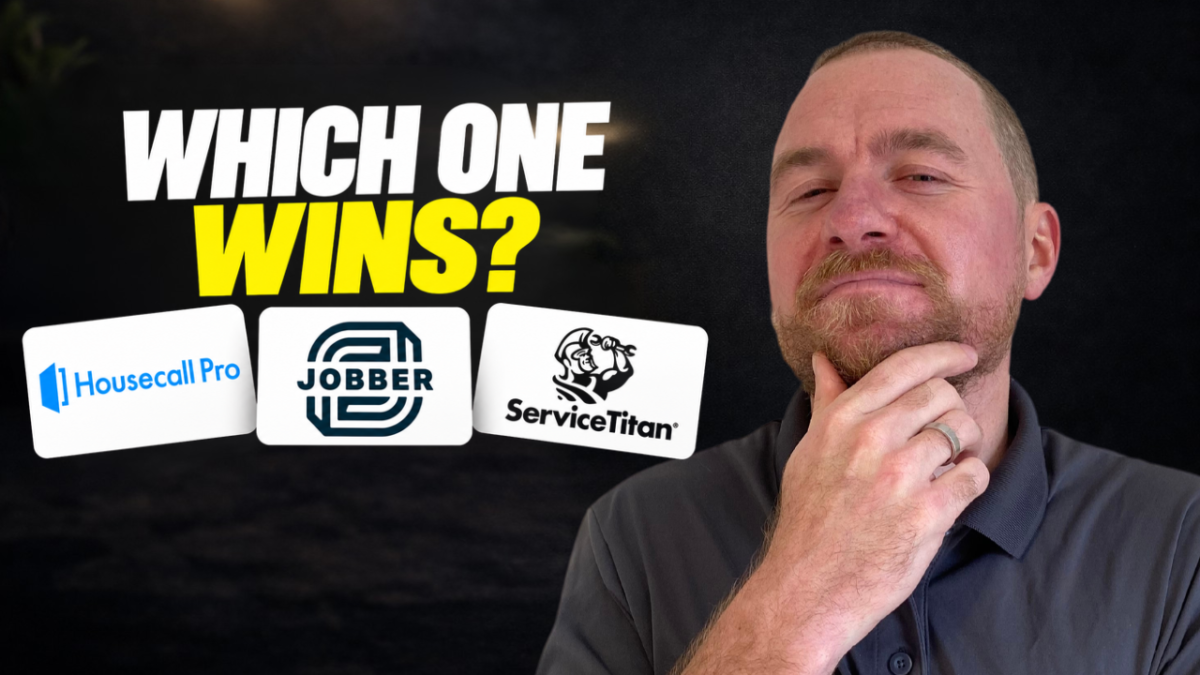
Best CRM for Home Service Businesses in 2027

Best CRM for Home Service Businesses in 2027
Short answer: for most home service businesses doing $1M–$10M, Jobber is the CRM I’d pick going into 2027. But each of these three platforms wins somewhere, and the right choice depends on your trade, your size, and how much setup you can stomach.
I’ve worked inside Jobber, Housecall Pro, and ServiceTitan since 2018. I’ve personally implemented them in seven- and eight-figure home service businesses, and today my team at Phlash uses them every day from the marketing side to help those businesses grow.
To settle which one is best, I put all three through seven rounds: usability, automation, cost, reporting, pipelines, online scheduling, and AI. For each, you’ll see where the platform is strongest, where it falls short, and which one I’d choose if I owned the business.
Round 1: Usability and implementation
Winner: Jobber. It’s the fastest to get running and works for almost any trade.
Jobber (10/10). You can be up and running in about 14 days: a desktop view for your CSRs, a technician app, and scheduling that just works. Jobber is built for home service broadly, not one trade. HVAC, plumbing, electrical, gutter cleaning, maid service, landscaping, windows and doors, roofing, there are even pet waste removal companies on it. Start simple, then customize as you grow.
Housecall Pro (7/10). This is a more traditional home service CRM, built mainly for HVAC, plumbing, and electrical. Other trades can use it, but through workarounds. Outside those core niches, expect 30 to 60 days to get set up.
ServiceTitan (hardest). When I implemented ServiceTitan, it took six to 12 months. It isn’t really a CRM so much as a full operating system for your business. Some of our clients who switched ended up hiring a ServiceTitan specialist as a fractional CTO six to 12 months in, just to clean everything up. Realistically, plan on 12 to 24 months before it runs the way you want. It’s also selective: if you’re not in one of its core trades, it may turn you away.
Pro tip: run both CRMs for 30 days when you switch
I’ve moved a lot of home service businesses between CRMs. Don’t export everything, import it into the new system, and start from scratch on day one. Instead, keep your old platform running alongside the new one for 30 days. Your team keeps the old process as a source of truth while they practice the new one, and you transition everything over that month. Then let the old system go.
Round 2: Automation
Winner: Housecall Pro. It makes building custom automations the easiest of the three.
An automation is simple: when one thing happens in your business, something else happens on top of it. You send an estimate, and a follow-up text and email go out automatically. An invoice sits unpaid for 30 days, and a reminder fires.
Housecall Pro. You can customize nearly every automation, tie them to your pipeline, and build them around different triggers without much effort.
Jobber. Jobber clearly knows automation matters and is building out its stack. The automations are there; they’re just not yet as robust or as deeply integrated as Housecall Pro’s.
ServiceTitan. Surprisingly, it’s the weakest out of the box, a lot of setup time for not much automation. ServiceTitan does offer a Marketing Pro add-on with fairly powerful automations, but it costs significantly more and takes more work to set up.
Round 3: Cost and support
Winner: Jobber. It’s the least expensive, and you get what you pay for out of the box.
To keep it fair, I priced a worst-case scenario: a team of six to 10 people, billed monthly, no annual commitment.
| Platform | Monthly cost | What’s included | Watch out for |
|---|---|---|---|
| Jobber | $599 | Up to 10 users | Little — pricing is straightforward |
| Housecall Pro | $649+ (top tier) | 8 users | Extra seats and add-ons push the price up |
| ServiceTitan | Quote only | Priced per technician | Add-ons in the thousands; no public pricing |
Jobber is the simple one: you pay for the thing, you get the thing, and it works.
Housecall Pro runs about $50 more at the top tier, and that’s before adding seats beyond eight or any add-ons. If you prefer its feature set, the difference may be worth it.
ServiceTitan doesn’t publish pricing at all; you request a quote, because every build is custom. When I last worked with it, it was around $279 per technician, and I’d expect it’s higher now that the company is publicly traded. Add-on modules can run $2,000 to $3,000. In the grand scheme, it’s by far the most expensive.
Round 4: Reporting
Winner: ServiceTitan (10/10). It’s been the gold standard for reporting for years, and it still is.
When I was director of business development at a home service company, reporting was the single most important tool for growing from $3 million to $5 million. I’m a numbers guy. I wanted to know four things, broken down by technician and by CSR:
- Booking rate — how many calls turn into appointments
- Close rate — how many estimates turn into jobs
- Average ticket — what each job is worth
- Customer acquisition cost — what it costs to win each customer
ServiceTitan has had clean reporting for years, plus custom reports you can build and schedule. There’s a reason private equity firms and $100 million home service companies run on it.
Jobber and Housecall Pro have noticed. Over the past couple of years, both realized that sophisticated $5 million operators need sophisticated numbers. Jobber has rolled out lead source reports and marketing tracking, and more recently custom reports, including close rate by technician. Housecall Pro has added custom reporting as well. They’re getting there, but ServiceTitan still leads.
Why does this matter so much? Good data makes good decisions. It’s what we built Phlash on: we work inside our clients’ CRMs, use that data to guide marketing, and build automations on top of these platforms. That’s how we know a client is growing — we can see return on ad spend, leads, estimates, jobs, and average ticket.
Round 5: Pipelines
Winner: Jobber (9/10). Its out-of-the-box pipeline is the cleanest of the three.
This may surprise you, but visual pipelines in home service CRMs weren’t really a thing until two or three years ago. Work moved through the system, but nobody could see at a glance what stage everything was in.
Jobber (9/10). Jobs move through clear stages: request, quote, job, invoice. When a customer signs a quote, Jobber creates the job and carries everything from the quote onto it, so each next step fills in from the one before. You walk in each morning, open the pipeline, and see which estimates need follow-up, which have closed, and which are waiting on materials. It’s a clean project-management snapshot of your business.
Housecall Pro (8/10). Very similar to Jobber. Its edge is that you can build more custom automations on top of the pipeline, but Jobber’s default pipeline is cleaner to work in.
ServiceTitan (4/10). Surprisingly, ServiceTitan offers very little pipeline visibility unless you pay for additional features. Imagine a $100 million company that can’t see where jobs stand without pulling custom reports. It’s wild to me.
Round 6: Online scheduling
Winner: Jobber and Housecall Pro (tie, 9/10). All three offer online booking, but ServiceTitan charges extra for it.
Online scheduling matters more now than ever because of AI search. Homeowners are shifting to AI tools like ChatGPT and Gemini to find services, and Google is nudging everyone else there with AI Mode. That means fewer people visit your website at all. More and more, AI agents will book appointments on a customer’s behalf, directly inside Jobber, Housecall Pro, or ServiceTitan.
The good news: all three platforms have online scheduling, and all three are fairly easy to set up. The catch is ServiceTitan. A few years ago it acquired a company called Schedule Engine and began charging for Scheduling Pro, its online booking tool. It’s a good product, but it costs more, so ServiceTitan loses a point here.
Round 7: AI
Winner: Jobber. Its new AI agent does real work on your behalf, and neither competitor has an equivalent yet.
This is the biggest shift I’ve seen in these CRMs. On the basics, all three are even:
- AI answering service. Each has an AI receptionist that answers calls, talks with customers, and books appointments on your calendar.
- Ask-your-data assistant. Each lets you ask questions about your CRM data and get answers back.
What sets Jobber apart is a newly launched tool called Teammate. It isn’t a chatbot. It’s an agent that lives inside your CRM and acts on its own, based on what it knows about your business. A few examples:
- A customer submits a request or replies with a question on an estimate. Teammate drafts the quote so it’s ready for you to review and send.
- A job has been stuck waiting on materials past its expected five days. Teammate flags it, drafts an email to the customer, and asks whether you want it sent.
Every business ends up with its own custom agent working alongside the CSR, office manager, and the rest of the office team. ServiceTitan and Housecall Pro don’t have this yet. Teammate only just launched, so I’d expect both to scramble to build something similar.
The verdict: Jobber wins, Housecall Pro is close, ServiceTitan is for the big leagues
After seven rounds, Jobber takes first, Housecall Pro second, and ServiceTitan third.
| Round | Winner | Runner-up | Last |
|---|---|---|---|
| 1. Usability and implementation | Jobber | Housecall Pro | ServiceTitan |
| 2. Automation | Housecall Pro | Jobber | ServiceTitan |
| 3. Cost and support | Jobber | Housecall Pro | ServiceTitan |
| 4. Reporting | ServiceTitan | Jobber / Housecall Pro | — |
| 5. Pipelines | Jobber | Housecall Pro | ServiceTitan |
| 6. Online scheduling | Jobber / Housecall Pro (tie) | — | ServiceTitan |
| 7. AI | Jobber | Housecall Pro / ServiceTitan (tie) | — |
Jobber: best for $1M–$10M businesses in any trade
Jobber wins because it’s the most versatile. It’s AI-ready, easy to plug in, and has a strong pipeline and solid automations. If you’re anywhere from zero to $10 million, your trade doesn’t matter: plug in Jobber and you get a forward-thinking company that keeps shipping useful tools.
Housecall Pro: a solid choice for $500K–$3M core-trade shops
Housecall Pro isn’t bad, it finished only a few points behind. For a $500,000 to $3 million HVAC, plumbing, or electrical business, it’s a good, standard home service CRM, and its automations are excellent. But it costs more, some features lag Jobber’s, and it’s more cookie-cutter for specific trades.
ServiceTitan: built for $10M+ enterprises with dedicated tech support
There’s a definite place for ServiceTitan. Plenty of $100 million companies wouldn’t run on it if it weren’t good. If you’re an HVAC, plumbing, electrical, or roofing company doing $10 to $20 million, it’s built for you. At $5 million, it can work if you have a dedicated CTO to run point.
My pick: If I were a $1 million to $10 million home service business looking for the best AI-capable CRM going into 2027, I’d choose Jobber.
Try it yourself
Since I’m recommending Jobber, I asked them for a way my audience could test it. They set up a 14-day free trial so you can explore these features yourself, including Teammate and the AI tools, before you commit going into 2027.
And if you’d like a marketing partner who understands your CRM data, booking rate, close rate, average ticket, acquisition cost, and return on ad spend, and can use it to grow your business, let’s talk. I’d love to see whether we can help.